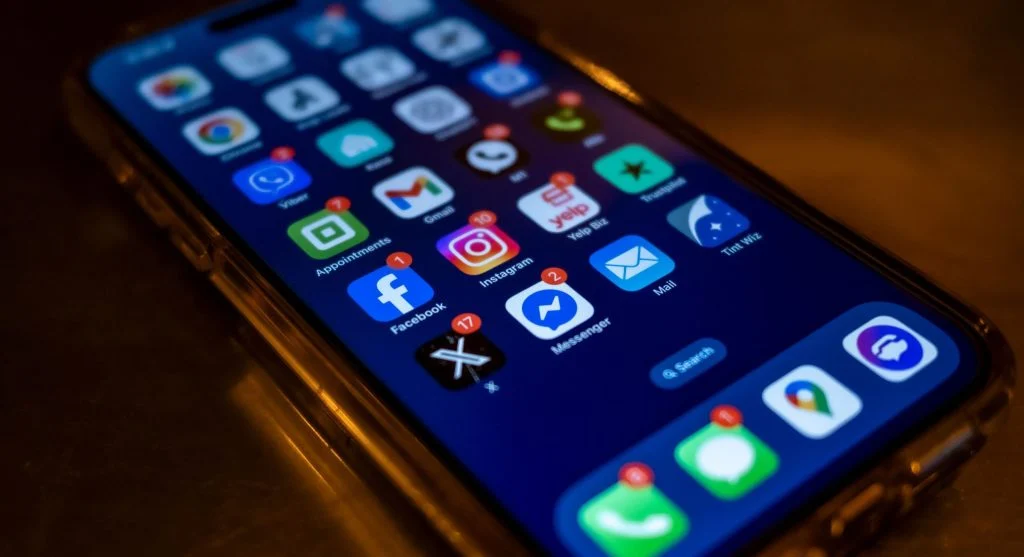

A message arrives. A notification appears. A small badge shows up on an app icon. Nothing dramatic has happened, yet your attention shifts almost immediately.
Before you even open the phone, there is a subtle feeling that something needs to be handled. It may feel like the message should be read now, the alert should be cleared now, or the app should be checked before you forget.
But most of the time, the situation is not truly urgent. The message may be routine. The update may not matter. The badge may simply show that something new has happened somewhere inside an app.
This is why your phone feels urgent even when the information on it is not actually important. The pressure often comes from the way digital systems deliver information, not from the real value of the information itself.
Phones are designed to make new activity visible, immediate, and hard to ignore. Over time, that can train the brain to treat almost every alert as something that deserves attention right away.
Urgency Is Created, Not Always Real
Not every message is important. Not every update needs a response. Not every notification deserves your focus the moment it appears.
Still, phones often present these things in a way that feels important. A small alert may arrive with sound, vibration, color, movement, or a visual badge. These signals can make ordinary information feel more serious than it really is.
This is the digital urgency illusion. The phone does not simply show you information. It frames that information as something new, active, and waiting for your response.
The feeling comes from how information is delivered, not always from what it contains. A delivery notification, a social update, a promotional alert, and a personal message may all appear in similar ways, even though they do not carry the same importance.
When many types of information are presented with the same level of visibility, your brain may struggle to separate what matters from what can wait. Everything begins to feel slightly urgent because everything is shown as if it needs attention.
That does not mean every alert is useless. Some notifications are helpful and timely. The issue is that the system often uses the same attention-grabbing style for both important and low-priority information.
Interruptions Signal Importance
Anything that interrupts your current activity tends to feel important. If you are reading, working, eating, talking, or resting, a sound or vibration breaks the moment. Your focus shifts before you have time to decide whether the alert matters.
The brain often treats interruption as a priority signal. When something cuts into your attention, it can feel like it deserves to be checked. This reaction happens quickly, even when the notification itself is not important.
A phone alert does not politely wait for a natural stopping point. It appears while you are doing something else. That sudden break gives the alert extra weight.
This is one reason false urgency smartphone users experience feels so convincing. The interruption itself makes the information seem more important than it may actually be.
For example, a routine app update can interrupt you in the same physical way as an important message. Both may create a sound, a banner, or a vibration. Your brain responds first to the interruption, not the content.
Only after you check do you realize whether it mattered. But by that point, your attention has already moved.
Visual Cues Amplify the Pressure
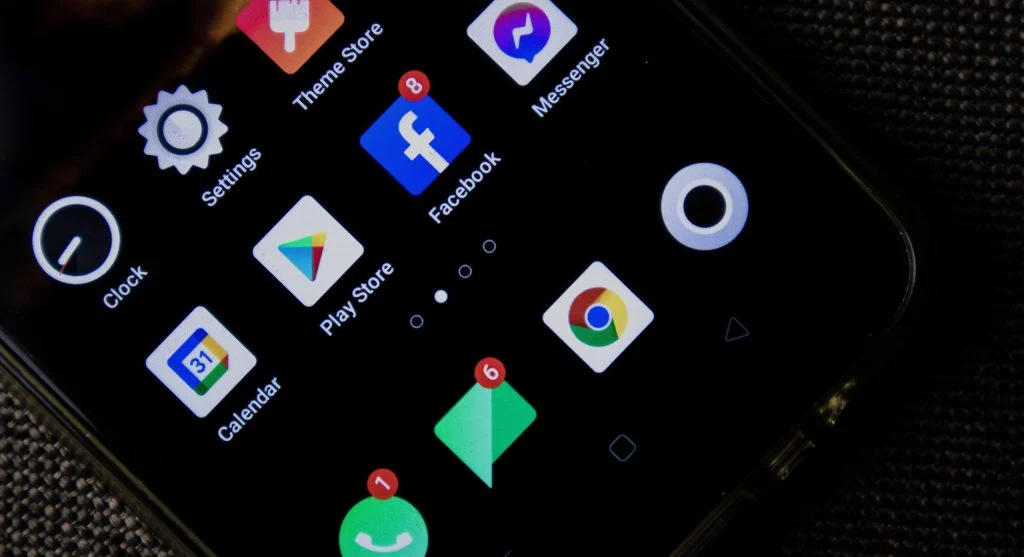
Phones use visual cues to make new activity stand out. Bright colors, badges, icons, banners, dots, and numbers all signal that something has changed.
These cues are designed to be noticed quickly. A red badge on an app icon, for example, can make the app feel unfinished even before you know what the notification is about.
The more visible the cue is, the more urgent it can feel. A small number on an app icon may not contain any real information, but it still creates pressure. It tells you that something is waiting.
This is where notification pressure explained becomes clearer. The pressure does not always come from the message itself. It comes from the way the phone highlights the existence of something unread, unseen, or unchecked.
Visual cues also stay in place. A sound disappears quickly, but a badge remains on the screen until you do something about it. Every time you look at the phone, the cue reminds you that something has not been addressed.
That repeated reminder can make even minor alerts feel more important than they are. The phone turns a small piece of information into a visible task.

“Unread” Feels Like “Incomplete”
An unread message can feel like an unfinished action. Even if the message is not urgent, the fact that it remains unread creates a small sense of incompletion.
This is because phones often turn information into tasks. A badge, unread count, or highlighted message tells you that something has not been opened yet. The mind may interpret that as something that needs to be completed.
Closure becomes the goal. You may open the app not because the content matters, but because you want the unread marker to disappear.
This can happen with messages, emails, app updates, social notifications, and even promotional alerts. The unread state creates tension, and checking becomes the easiest way to remove it.
The problem is that clearing one alert often leads to another. You open the app to remove the badge, then see more content, more updates, or more choices. What started as a quick check becomes a longer interaction.
This is how a simple unread marker can create urgency without real importance. The phone makes something feel incomplete, and the brain wants to finish it.
Multiple Small Alerts Feel Like One Big Demand
One notification may be easy to ignore. But several notifications together can feel like a bigger demand.
Individually, the alerts may be small. One message, one app update, one email, one reminder, and one social notification may not mean much on their own. But when they stack together, they create a sense of pressure.
The phone begins to feel busy. The screen looks crowded. The number of small alerts can make it seem as if many things need attention at once.
This is why everything can feel more urgent than it actually is. The brain does not always evaluate each alert separately at first glance. It often responds to the overall sense of buildup.
Stacked notifications create the feeling that you are behind, even if nothing truly important has happened. The more alerts you see, the more likely you are to feel that you need to catch up.
This can turn ordinary phone use into a cycle of clearing, checking, and responding. Instead of choosing what matters, you may simply react to what is most visible.
Speed of Access Increases Pressure
Phones make instant response possible. You can reply to a message in seconds, open an app immediately, check an update right away, or react to something as soon as it appears.
Because you can respond instantly, it can begin to feel like you should. This turns possibility into expectation.
The speed of access changes the way urgency feels. In the past, many messages or updates naturally waited until people had time to respond. Now, the phone is always nearby, and the ability to answer quickly can create pressure to act quickly.
This does not mean every quick response is bad. Sometimes immediate access is useful. The issue is that the phone can blur the line between available and obligated.
Just because you can check something now does not mean it needs to be checked now. But when the device makes every action easy and immediate, delaying can feel uncomfortable.
This is one reason phone alerts can feel demanding. The technology removes friction, and the mind may interpret that ease as a reason to respond right away.
Why It Feels Hard to Ignore
Ignoring a notification can feel like delaying something important, even when you know logically that it can wait.
This gap between logic and feeling keeps the cycle active. You may understand that the alert is probably minor, but the presence of the notification still creates pressure.
The phone keeps the unfinished cue in front of you. A badge stays visible. A message remains unread. A banner sits on the lock screen. These small reminders make ignoring feel less passive. It feels like you are leaving something open.
There is also a small uncertainty involved. You may wonder whether the notification is important. Most alerts are routine, but one might matter. That possibility makes it harder to ignore the phone completely.
This is how false urgency builds. The alert does not need to be important. It only needs to make you wonder whether it might be.
Over time, this can make checking feel automatic. The phone creates a question, and opening it becomes the fastest way to answer that question.
What Changes When You Pause
One of the easiest ways to see how artificial phone urgency can be is to pause before responding.
When you delay your response slightly, the urgency often fades. A notification that felt important in the moment may seem ordinary a few minutes later. A message that seemed to require immediate attention may turn out to be something that could have waited.
This pause reveals how much of the pressure came from the alert itself. The sound, badge, or banner created a moment of urgency, but the content may not have matched that feeling.
Most notifications lose importance after a short time. If nothing serious changes when you wait, that is a sign the urgency was not truly necessary.
Pausing also gives you control over your attention. Instead of letting every alert decide when you look, you decide when the phone deserves your focus.
This does not mean ignoring important communication. It means creating space between the signal and your reaction. That space helps you separate real priority from digital pressure.
How to Reduce False Urgency
You do not need to remove every notification to reduce the feeling that your phone is urgent. The goal is to make alerts more meaningful and less overwhelming.
Start by deciding which apps truly need immediate access to your attention. Messages from important contacts may matter. Delivery updates, promotional alerts, or low-priority app reminders may not need the same level of visibility.
You can also reduce visual pressure by turning off unnecessary badges. If a number on an app icon makes you feel behind, removing that cue can help lower the sense of incompletion.
Another helpful step is to check certain apps at chosen times instead of reacting every time they signal. This changes the phone from an interruption system into a tool you use intentionally.
Simple changes can include:
- Turning off nonessential notifications
- Removing badges from low-priority apps
- Checking messages at intentional times
- Pausing before responding to alerts
These habits help reduce notification pressure. They also make it easier to notice which alerts actually matter and which ones only feel urgent because of how they appear.
Frequently Asked Questions
Q: Why do notifications feel urgent?
A: Notifications feel urgent because design, interruption, sound, vibration, and visual cues create a sense of importance before you even read the content.
Q: Are all notifications important?
A: No. Many notifications are routine, promotional, or low priority. They may feel urgent because of how they are presented, not because they require immediate action.
Q: Why is it hard to ignore alerts?
A: Alerts can trigger a sense of unfinished action. Unread messages, badges, and banners make it feel like something is waiting to be completed.
Q: Can I reduce this feeling?
A: Yes. Adjusting notifications, removing unnecessary badges, pausing before responding, and checking apps intentionally can reduce false urgency.
Key Takeaway
Phone feels urgent because digital systems present information in ways that create pressure. Sounds, vibrations, badges, banners, unread markers, and stacked alerts all make ordinary updates feel more important than they often are.
Most urgency is artificial. It is shaped by design and delivery rather than real importance. A notification may interrupt you, but that does not always mean it deserves immediate attention.
When you pause before reacting, adjust low-priority alerts, and decide when to check your phone, the pressure becomes easier to manage. The goal is not to ignore everything, but to separate true urgency from the illusion of urgency.