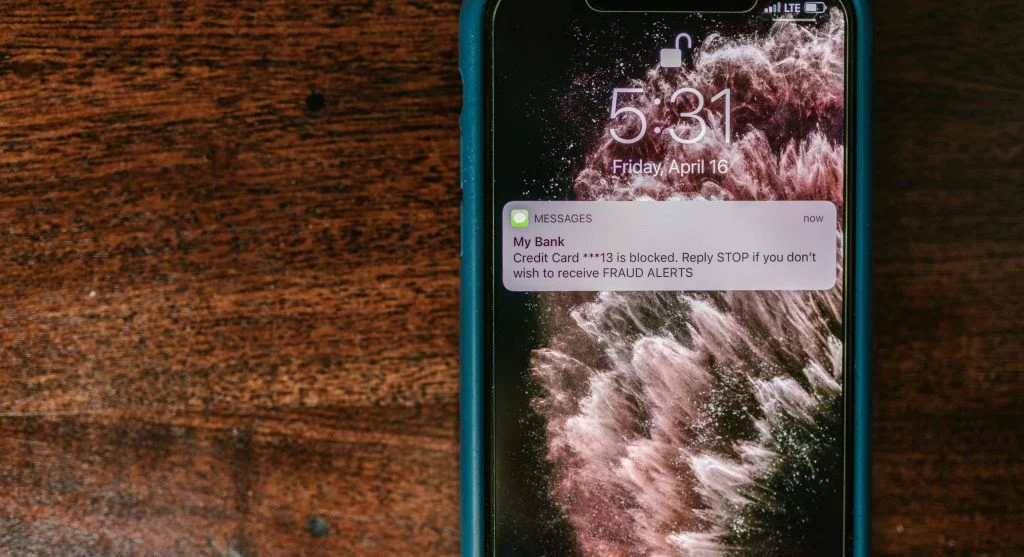

Online scams are becoming more common as digital activity continues to grow. Many users receive suspicious emails or messages without fully recognizing the risks. Understanding what phishing is can help protect personal information and prevent fraud.
Cybersecurity experts explain that phishing is a tactic used by attackers to trick users into sharing sensitive data. This can include passwords, financial details, or other personal information.
What Is Phishing and How Does It Work?
Phishing is a type of online scam where attackers pose as trusted sources. They send messages that appear genuine to gain the user’s trust.
Experts note that these messages often create a sense of urgency, pushing users to act quickly—such as clicking a link or providing information.
Once a user responds, attackers can gain access to their data.
Credit: Torsten Dettlaff / Pexels
Common Types of Phishing Scams Users Should Know
Phishing scams come in several forms, with email phishing being the most common.
Experts point out that attackers may also use text messages or create fake websites that closely resemble legitimate ones. These tactics are designed to appear convincing and trustworthy.
Being aware of these different types makes it easier for users to spot potential threats.
How to Recognize Phishing Messages
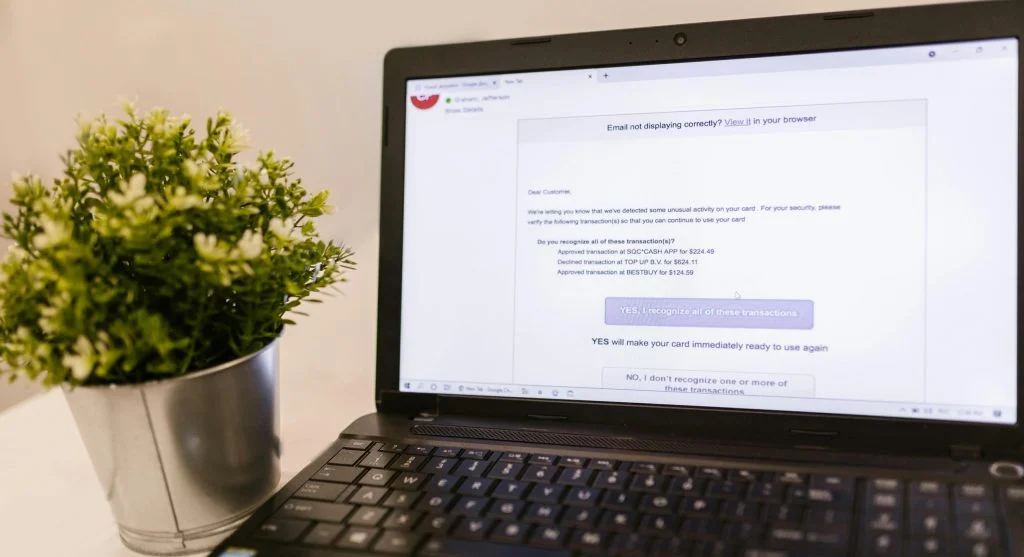
Recognizing phishing messages is a key part of understanding what phishing is. These messages often include clear warning signs.
Cybersecurity professionals highlight indicators such as unusual sender addresses, spelling mistakes, and urgent or suspicious requests.
Users should stay cautious when dealing with unexpected messages.
Credit: RDNE Stock project / Pexels
Why Phishing Is a Serious Security Risk
Phishing can result in stolen data and financial loss. Once attackers gain access, they may misuse personal information.
Experts explain that phishing attacks can also be used to spread malware, which can damage devices or compromise accounts.
Understanding these risks helps users stay more alert.
How to Protect Yourself from Phishing Scams
Protecting yourself from phishing involves a few simple but effective steps. Users should avoid clicking on unknown links and always verify the source of messages.
Experts recommend using strong passwords and enabling two-factor authentication for added security.
Keeping devices updated and using security tools can also help reduce the risk of attacks.

Credit: Tima Miroshnichenko / Pexels
What to Do If You Suspect a Phishing Attempt
If you suspect a phishing attempt, avoid interacting with the message. Do not click on any links or share personal information.
Experts recommend reporting the message to the relevant service provider. Deleting it afterward is also a good step.
Acting quickly can help reduce the risk and prevent further issues.
Frequently Asked Questions
Q: What is phishing in simple terms?
A: Phishing is a scam where attackers try to trick users into sharing personal information.
Q: How can I identify a phishing email?
A: Look for unusual sender addresses, urgent requests, and suspicious links.
Q: Is phishing dangerous?
A: Yes, phishing can lead to data theft and financial loss.
Q: How can I stay safe from phishing?
A: Avoid unknown links, verify sources, and use security features like two-factor authentication.